TKCat meets LLMs: an MCP server for well-documented knowledge resources
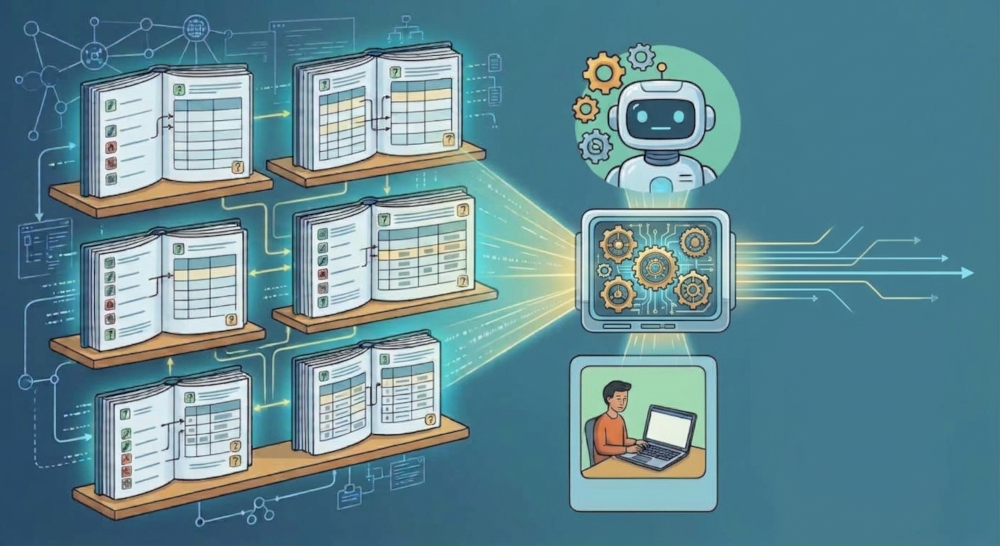
TKCat 1.3.0 ships a Model Context Protocol (MCP) server that lets AI assistants explore and query the modeled databases of a chTKCat instance. Because every resource comes with its own documentation, the assistant knows what the data means, not only where it is stored.
1 Documentation was always the point
TKCat (Tailored Knowledge Catalog) is built on a simple idea: a knowledge resource is more than a set of tables. In TKCat, each resource is a modeled database (MDB) that contains:
- a general description of the resource (source, version, scope),
- a data model made with ReDaMoR, with a comment on every table and field, plus primary keys, foreign keys and indexes,
- collection members, which say which fields refer to the same kind of concept (genes, diseases, tissues…) and make it possible to integrate different MDBs.
This documentation was designed from the start to be machine-ready, and it turns out to be exactly what a large language model (LLM) needs in order to work with the data correctly.
2 What is MCP
The Model Context Protocol (MCP), introduced by Anthropic, is an open standard that allows AI assistants to securely connect to external data sources, tools, and workflows. Think of it as a universal adapter for AI: instead of writing custom integrations for every combination of LLM and database, MCP provides a standardized client-server architecture.
In this setup, an MCP client (such as Claude Desktop, Claude Code, or Posit Assistant) communicates with an MCP server using a common protocol over local or remote connections. The server exposes a defined set of “tools” and resources that the assistant can discover and invoke dynamically based on the user’s natural language request.
For TKCat, MCP is a natural fit. Rather than forcing developers to build bespoke chat interfaces or write brittle custom prompts for every catalog, TKCat 1.3.0 exposes its modeled databases directly through a standard MCP server. Any MCP-compatible assistant instantly gains the structured vocabulary, relationship maps, and security guardrails it needs to navigate, query, and synthesize your knowledge resources safely.
3 What’s new in TKCat 1.3.0
TKCat 1.3.0 includes a read-only MCP server. With it, AI assistants such as Claude Code, Claude Desktop, Posit Assistant or any other MCP client can explore and query the MDBs of a chTKCat instance (TKCat on ClickHouse).
The server comes in two forms:
chTKCat_mcp_server(): a local server, started by the MCP client on the user’s computer (stdio transport).chTKCat_mcp_http_server(): a remote server that runs as a service next to the chTKCat instance (Streamable HTTP transport). Users don’t need R or TKCat on their computer.
The assistant has a small set of tools that match how a careful analyst works with an unfamiliar resource:
| Step | Tools |
|---|---|
| Find relevant resources | list_mdbs, search_tkcat |
| Understand them | describe_mdb, describe_tables, list_collections |
| Look at the data | preview_table |
| Answer the question | query_mdb (ClickHouse SQL), get_matrix_values |
4 Why documented databases make a difference
Ask an LLM a question about a database it has never seen and it will guess: it may infer table meanings from their names, assume joins and get the semantics of a column wrong. With TKCat, the assistant doesn’t need to guess:
- It finds the right resource. MDB descriptions and keyword search over table and field comments point it to the resources that matter, even in a catalog of dozens of databases.
- It understands the data. Field comments explain codes, units and conventions. Foreign keys show how tables can be joined. So the SQL it writes follows the actual data model.
- It integrates resources. Collections say when, for example, a gene identifier in one MDB can be compared with a gene identifier in another one, and under which conditions (same source, same organism). The assistant can then answer questions that span several resources in a single query.
- Its answers can be checked. Every answer is built from explicit SQL queries on identified resources and versions. You can read them, rerun them in R and reuse them.
A typical exchange looks like this:
User: Which drugs target genes associated with the phenotypes of this disease?
Assistant: searches the catalog → reads the descriptions of the phenotype, variant and drug MDBs → checks the collections that link them → previews a few records → runs a cross-MDB SQL query → returns the answer, with the queries it ran and the resources it used.
The better the documentation, the better the answers. The effort put into documenting a resource once now pays off every time someone asks a question about it, in plain language.
5 Built for shared, governed environments
Knowledge resources often have different access rules, and they are hosted by an organization rather than on a personal laptop. The MCP server was designed with this in mind:
- Read-only by design: the assistant can query data but can’t write, create, delete or change grants.
- Per-user access: with the remote server, users log in with their own chTKCat credentials, which ClickHouse checks. Each user only sees the MDBs they are allowed to read.
- Controlled output: limits on returned rows, output size and query execution time keep tool calls small and fast.
- Scalable deployment: the remote server is stateless, so several instances can run behind a reverse proxy such as nginx, and tool calls are logged.

As with any AI service, only expose MDBs whose content can be shared with the assistant under your organization’s policies.
6 Getting started
The best place to start is the new TKCat End-to-End vignette. It covers the whole process:
- setting up a ClickHouse instance for TKCat,
- preparing example MDBs (HPO, ClinVar, ChEMBL),
- pushing them to ClickHouse and querying them from R,
- deploying the MCP server (local and remote, with systemd and nginx),
- configuring MCP clients (Claude Code, Claude Desktop, Posit Assistant).
For reference details on the server, its tools and its parameters, see the MCP server vignette.
For a complete introduction to TKCat, refer to the main vignette.
Feedback and issues are welcome on GitHub.